
Delta Executor APK v2.747 Download for Android, iOS & PC [November 2026]
Other devices: iOS · Windows PC · macOS · VNG
Delta Executor is a free Roblox script executor built for phones first. Download the latest Delta Executor APK (v2.747) for Android, install it in about five minutes, or pick the iOS, PC or Mac build below. Every build is tested after each Roblox update.
- Free to use
- No root needed
- Updated November 2026
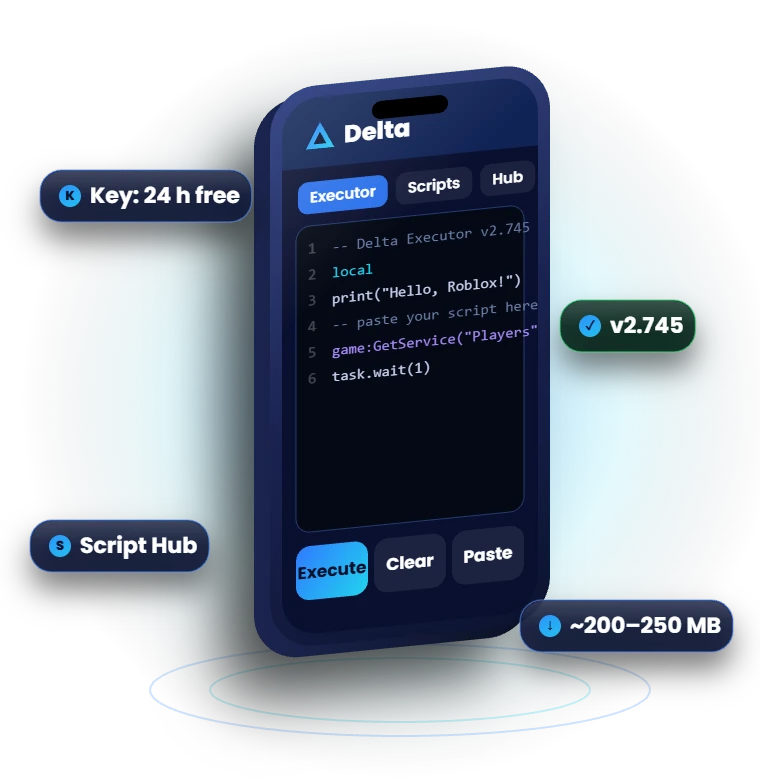
🌐 English · Português · Español · Bahasa Indonesia
- Delta Executor APK download
- Install Delta on Android
- What is Delta Executor?
- App info at a glance
- Delta X vs Delta Executor
- Choose your device
- Features that matter
- How to use Delta on mobile
- Games that work with Delta
- The Delta key, explained
- Tips for the Philippines & Brazil
- Delta vs other executors
- Pros & cons
- Safety & ban risk
- Fix common errors
- FAQ
Delta Executor APK download (latest v2.747)
The Delta Executor APK is the Android version of Delta: a modified Roblox client with the Delta script engine built in. You install it as its own app, log in to Roblox inside it and play from there. That is why the file is much bigger than a normal app.
Android warns you about any APK installed outside Google Play, so the warning itself is normal. What matters is where the file comes from. Only use links shared by the official Delta team, and check the file on VirusTotal before you tap install.
Download Delta Executor APK v2.747Free · English UI · around 200–250 MB depending on the build
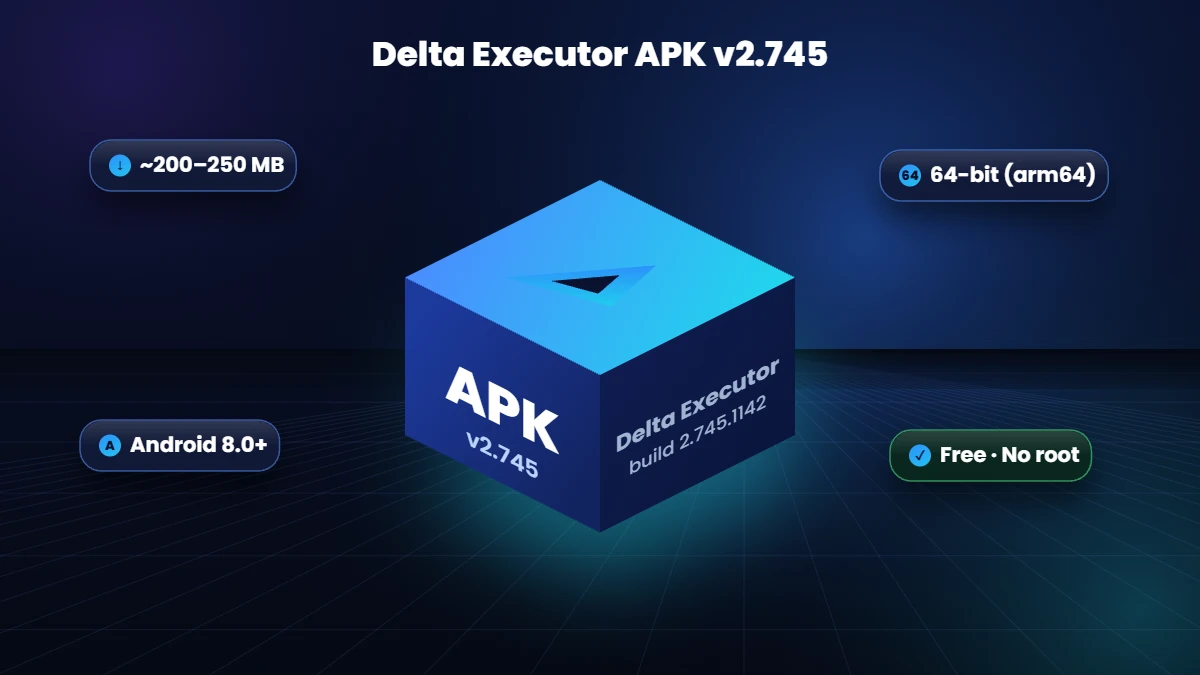
| File | Delta-2.747.1486.apk |
|---|---|
| Version | v2.747 · build 2.747.1486 (latest, November 2026) |
| Android | 8.0+ · 64-bit (arm64-v8a) |
| RAM | 3 GB minimum, 4 GB+ recommended |
| Free storage | 1 GB or more |
| Root needed | No |
| Key system | Free, renews every 24 hours |
| Last checked | November 2026 |
How to install Delta Executor APK on Android
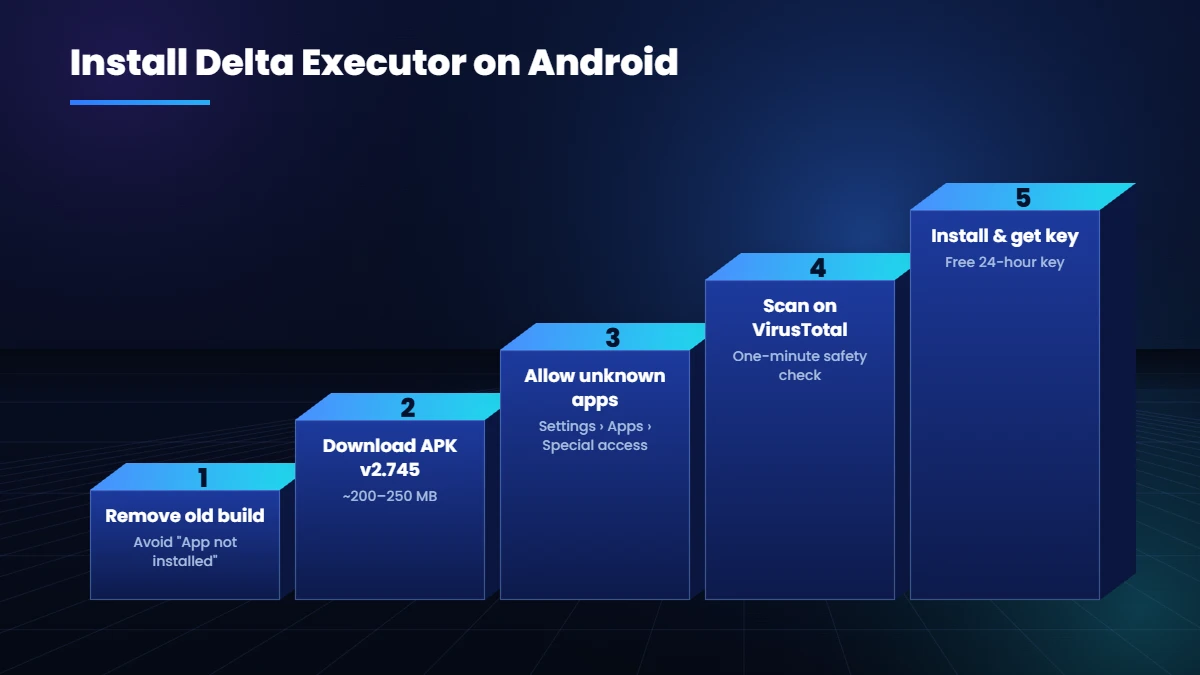
- Uninstall the Play Store Roblox (optional but recommended). Delta uses the same package name, so keeping both often causes “app not installed” errors.
- Download the APK with the button above. If your browser says the file “may be harmful”, that is the generic warning for every APK. Continue only if the link came from an official Delta source.
- Allow installs from this source. Open the APK, tap Settings when prompted and turn on Allow from this source for your browser or file manager.
- Tap Install and wait. On slower phones this can take a minute because the file is large.
- Open Delta and log in to Roblox with a secondary account. Google or Facebook login may not work inside the client, so set a password on the alt account first.
- Join a game and get your key with the Delta key guide. Once the key is accepted, the floating Delta button appears.
Delta Executor mobile requirements
| Spec | Minimum | Smooth experience |
|---|---|---|
| Android version | 8.0 (Oreo) | 11 or newer |
| CPU architecture | 64-bit ARM | 64-bit ARM |
| RAM | 3 GB | 6 GB |
| Free storage | 1 GB | 3 GB |
| Connection | Stable 4G | Wi-Fi or 5G |
Common Android install errors (and fixes)
“App not installed”
Uninstall the Play Store Roblox or any older Delta build, free up 1 GB and try again. If the download was cut off, download it again on Wi-Fi.
“There was a problem parsing the package”
The APK is damaged, or your phone is 32-bit or below Android 8. Re-download and check your phone’s specs.
Play Protect blocks the install
Play Protect flags most unofficial apps. Check the file on VirusTotal first. If several big engines flag it as a trojan, do not install it. That is not the real Delta.
Crashes on the loading screen
Usually a version mismatch after a Roblox update. Get the newest build from the update tracker, clear Delta’s cache and restart your phone.
What is Delta Executor?
Delta Executor (often called Delta X) is a third-party Roblox executor. In simple words, it is an app that runs Lua scripts inside a Roblox game while you play. Those scripts can add things the game normally does not offer, like an auto-farm toggle, a walk-speed slider or a teleport menu.
What made Delta popular is that it was built for phones first. Most executors started on Windows and treated mobile as an afterthought. Delta flipped that: the Android app came first, iOS followed, and only later did the team release builds for PC and Mac. That is why so many players in mobile-first countries search for roblox delta executor before any other tool.
The app ships with its own Roblox client, a floating script window, a built-in script hub and a free key system. If you just want the file, jump to the Delta Executor APK download section. If you want to understand what you are installing first, keep reading.
| App name | Delta Executor (Delta X) |
|---|---|
| Latest version | v2.747 · build 2.747.1486 (Android, November 2026) |
| Previous builds | v2.745, v2.740, v2.720 |
| Platforms | Android, iOS, Windows, macOS, VNG |
| Android needed | Android 8.0 or newer (64-bit) |
| iOS needed | iOS 15 or newer |
| Price | Free with daily key · optional paid plan |
| Language | English UI, works worldwide |
Version numbers change quickly after Roblox patches. Our update tracker lists every build we have tested.
Delta X, Delta Exploits and Delta Executor: what is the difference?
There is no difference. Delta Executor, Delta X, Delta Exploits and Roblox Delta are all names players use for the same Roblox executor. “Delta X” is a name the developers have used for the app, “Delta Exploits” comes from their official domain, and “Delta Executor” is what most people type into Google.
What does change is the build: Android APK, iOS IPA, Windows, macOS and the VNG build for Vietnam are separate files. If a site offers a “Delta X 2.0”, “Delta mod” or “Delta premium unlocked” APK as if it were a different app, treat it as a red flag. It is either an old build renamed or a repackaged file.
Delta Executor on every platform
Each version installs differently, so we gave every platform its own step-by-step page instead of cramming it all into one wall of text.
Android APK
The main Delta Executor mobile app. Download the APK, allow the install and log in to Roblox inside Delta. Includes a full mobile tutorial.
Download & install →iOS (iPhone & iPad)
Install the IPA with a signer such as ESign or KSign, or use the no-computer method. Covers trusting the profile and fixing revoked certs.
iOS guide →iOS Direct Install
The fastest way to get Delta on an iPhone without a sideloading app. What it is, when it breaks and what to do then.
Direct Install →Windows PC
Run Delta on a laptop or desktop, either with the native Windows build or through an Android emulator like BlueStacks.
PC guide →macOS
The DMG build for Apple Silicon and Intel Macs, plus the Gatekeeper steps that confuse most people.
Mac guide →Delta VNG
The build made for the Vietnamese Roblox client (VNG). Read this before you install it outside Vietnam.
VNG guide →Delta Executor features that actually matter
Plenty of sites list twenty “features” that are really the same thing worded differently. Here are the ones you will notice in day-to-day play.
Built for touch screens
The floating Delta button, the tabbed script window and the on-screen editor are sized for thumbs, not a mouse. You can resize and hide the panel mid-game.
Script hub inside the app
Search scripts for popular games right from Delta, save your favourites and run them in two taps without copying links from random sites.
Good performance on budget phones
Delta runs on 3–4 GB RAM phones that are common in the Philippines and Brazil. Lighter scripts stay smooth; heavy GUI hubs need more memory.
Fast updates after Roblox patches
Roblox updates its client often and every update breaks executors for a while. Delta usually ships a matching build within hours to a couple of days.
Free key system
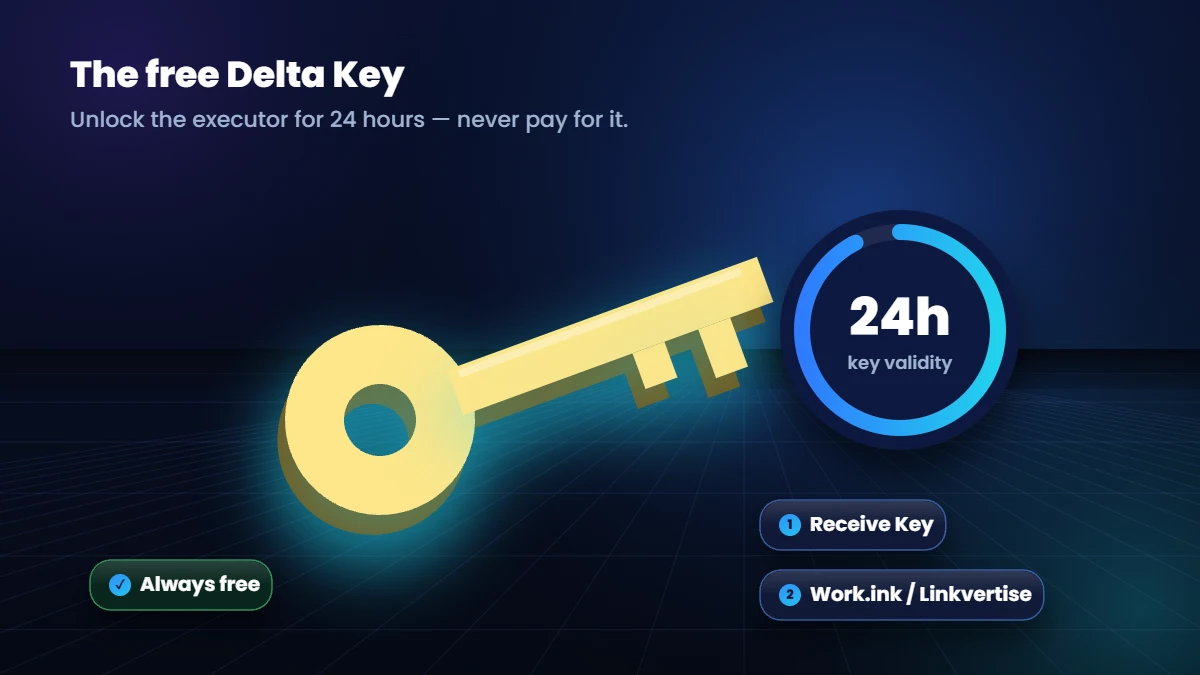
No subscription needed. You complete a short checkpoint once a day and the key unlocks everything for 24 hours. See the Delta key guide.
Script editor & console
Paste, edit and save your own Lua scripts, then read errors in the console when something does not run. Handy if you are learning Luau.
How to use Delta Executor on mobile: run your first script
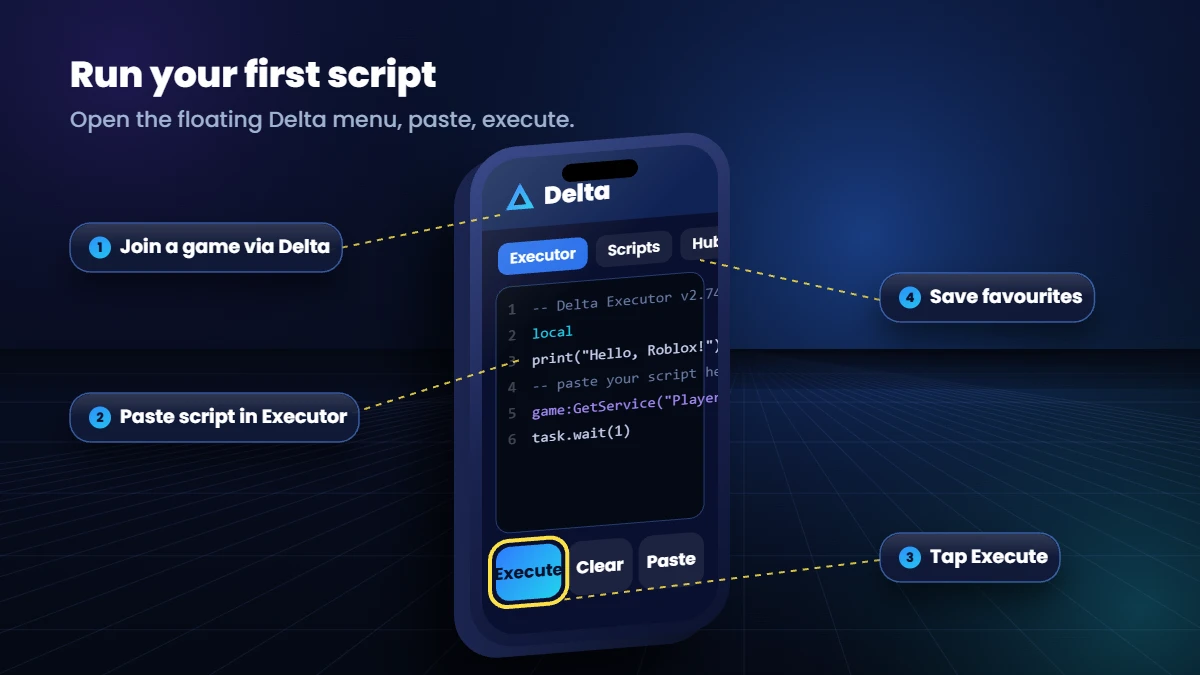
- Uninstall the Play Store Roblox if it conflicts. Delta installs its own Roblox client, and two copies can fight over the same package.
- Install the latest Delta build for your device from the Android or iOS guide.
- Open Delta and log in to your Roblox account. We strongly suggest a spare account, not your main one.
- Join any game and tap Receive Key. Finish the checkpoint in your browser and paste the key back in.
- Tap the Delta icon, open the script hub or paste a script into the editor, then press Execute.
Stuck with an “upgrade required” or “update Roblox” message? That means Roblox pushed a new version before Delta caught up. The upgrade fix page walks through what to do.
Before you start
- At least 1 GB of free storage
- A stable Wi-Fi or 4G/5G connection for the key step
- Android 8.0+ or iOS 15+
- A secondary Roblox account
- A browser without aggressive pop-up blockers (for the key page)
Prefer video? The Delta team and community creators post fresh mobile tutorials on the official Discord after every major update.
Which Roblox games work with Delta Executor?
Delta runs scripts in almost any Roblox experience, but the games below are where most players use it. Scripts for these titles change after every game update, so always check the date on a script before you run it. Our Delta scripts guide explains how to spot a fake or harmful script.
| Game | What players usually script | Notes |
|---|---|---|
| Blox Fruits | Auto-farm, fruit finder, raids | Heavy hubs need 4 GB+ RAM on phones |
| Grow a Garden | Auto-plant, auto-sell, seed sniping | Scripts break often after weekly updates |
| 99 Nights in the Forest | Auto-chop, ESP, kill aura | Popular with mobile players in the Philippines |
| Steal a Brainrot | Auto-steal, ESP, speed | Watch for “spawner” scripts that are just ads |
| Fisch | Auto-fish, auto-shake, teleports | Lightweight; runs fine on budget phones |
| Plants vs Brainrots / Escape Tsunami for Brainrots | Auto-collect, auto-upgrade | Newer games, scripts change fast |
Some experiences block modified clients completely. If a game shows error 317, no executor will get past it.
The Delta key, explained in 30 seconds
The free version of Delta Executor asks for a key once every 24 hours. When you join a game, Delta shows a Receive Key button that opens a checkpoint page in your browser. You go through a couple of short steps (usually a timer and an ad page), then copy the key and paste it into Delta.
The key is how the developers pay for servers and updates without charging everyone. If you would rather skip it, Delta offers a paid plan that removes the daily key. Either way, never pay a third party for a “Delta key generator”. Those are scams.
Get the Delta key step by step →Key not working?
- Copy the whole key with no space at the end
- Make sure you are on the newest Delta build
- Switch from Wi-Fi to mobile data if the page loops
- Clear your browser cache, then request a fresh key
- Check the time and date on your phone are automatic
Using Delta Executor in the Philippines and Brazil
Most of our readers play on phones in the Philippines and Brazil, so here is what we have learned from them.
Philippines
Many players use prepaid data, and the Delta APK is a large download. Grab it on Wi-Fi if you can. Globe and Smart users sometimes see the key page load slowly on promo data; switching to regular data or Wi-Fi usually fixes it. Budget phones from brands like Infinix, Tecno and realme run Delta fine, but close background apps before joining heavy games.
Brazil
Brazilian players are among the biggest Roblox communities, and the most searched games are grind-heavy titles like Blox Fruits and Grow a Garden. Delta’s English interface is simple enough, and our Portuguese guide (Delta Executor em Português) covers the install and key steps in your own language. Watch out for fake “Delta mod” APKs shared in WhatsApp groups.
Delta Executor vs other Roblox executors
We do not pretend Delta is perfect. Here is how it stacks up against the names people usually compare it with.
| Executor | Android | iOS | PC | Free key | Best for |
|---|---|---|---|---|---|
| Delta | Yes | Yes | Yes | Daily | Mobile players who want one app on every device |
| Arceus X | Yes | Yes | No | Daily | Simple mobile scripts |
| Codex | Yes | Yes | No | Daily | Players who like a minimal UI |
| Fluxus | Yes | No | Yes | Daily | Android + PC users |
| Hydrogen | Yes | Yes | Mac | Daily | Mac users |
Platform support changes often. Treat this table as a snapshot from November 2026.
Delta Executor pros and cons
Pros
- Free on Android, iOS, Windows and macOS
- Built for touch screens, not a PC port
- Built-in script hub and script editor
- Runs on 3–4 GB RAM budget phones
- Usually updated within hours to a couple of days after a Roblox patch
Cons
- Free key must be renewed every 24 hours
- Stops working for a while after every Roblox update
- Using it breaks Roblox rules, so ban risk is always there
- Large APK (around 200–250 MB)
- Many fake “Delta” sites and mod APKs to avoid
Is Delta Executor safe? The honest answer
Do this
- Download only from links shared by the official Delta channels
- Scan the file with VirusTotal before installing
- Keep Google Play Protect and your antivirus on
- Use a spare Roblox account and a spare email
Avoid this
- “Delta mod APK” or “Delta premium unlocked” files
- Sites that ask for your Roblox password outside the app
- Paid “key generators” and Robux generators
- Scripts that ask you to paste your cookie or token
We go deeper into virus warnings, false positives and how bans actually happen in our Delta Executor safety guide.
Fix common Delta Executor errors
Most Delta problems come from three things: an outdated build, a game that blocks modified clients, or an install that did not finish. Find your error below.
| Error you see | Usual cause | Fix |
|---|---|---|
| “Your version of Roblox may be out of date” (Error 280) | Delta build is older than the Roblox client | Error 280 fix |
| “Additional hardware security requirements” (Error 317) | The game blocks modified clients | Error 317 fix |
| “App not installed” / “Package appears to be invalid” | Play Store Roblox conflict, broken download or 32-bit phone | App not installed fix |
| “Untrusted Enterprise Developer” (iPhone) | The signing profile is not trusted yet or was revoked | iOS trust fix |
| Scripts do nothing / Delta not injecting | No valid key, patched script or outdated build | Not injecting fix |
| “Update required” / upgrade screen | Roblox updated before Delta | Update & upgrade fix |
| Key not accepted / key page loops | Expired key, copy error or blocked pop-ups | Delta key guide |
Delta Executor: frequently asked questions
Is Delta Executor free?
Yes. The core app is free on Android, iOS and PC. You only need to complete the free key checkpoint every 24 hours. A paid plan exists for people who want to skip the key.
What is the latest version of Delta Executor?
As of November 2026, the latest Android build is v2.747 (build 2.747.1486). Older builds like v2.745, v2.740 and v2.720 stop working once Roblox updates, so always grab the newest one. Our update page keeps the changelog.
Is this the official Delta Executor website?
No. We are an independent guide site. For announcements and verified links, check the official Delta Discord server, which we link on our Discord page. Be careful: many sites copy the “official” label.
Can I use Delta Executor on iPhone?
Yes. Delta has an iOS version for iPhone and iPad. Because Apple does not allow executors on the App Store, you install it with a signing app or the Direct Install method. See the iOS guide.
Does Delta Executor work on PC?
Yes, either with the native Windows build or by running the Android version in an emulator. The PC guide compares both options.
Will I get banned for using Delta?
You might. Using any executor breaks Roblox rules, and bans happen. Use a secondary account and avoid blatant scripts in games with active moderators.
Why does Delta say “update required”?
Roblox released a new client version and Delta has not caught up yet. Wait for the new Delta build, then reinstall. The upgrade fix guide explains it step by step.
Is the Delta Executor APK safe to download?
The real Delta APK from official Delta channels is what most players use, but Android and many antivirus apps flag every Roblox executor. Scan the file on VirusTotal first. If several major engines call it a trojan, it is not the real Delta. Remember that using any executor can still get your Roblox account banned.
Do I need root to use the Delta Executor APK?
No. Delta works on normal, unrooted Android phones running Android 8.0 or newer.
Can I keep the Play Store Roblox installed?
It is better to uninstall it. Delta ships its own Roblox client with the same package name, and keeping both is the most common cause of the “app not installed” error.
Does Delta Executor work on 32-bit or old Android phones?
No. Delta needs a 64-bit phone with Android 8.0 or newer. Roblox itself has dropped most 32-bit and Android 7 devices, so Delta cannot run on them either.
How do I download Delta Executor 2026 for Android?
Use the download button in the Delta Executor APK section at the top of this page, allow installs from your browser, tap Install and log in to Roblox inside Delta. The whole process takes about five minutes on Wi-Fi.
How do I get Delta Executor on Android if the install fails?
Uninstall the Play Store version of Roblox and any older Delta build, free up at least 1 GB, re-download the APK on Wi-Fi and install again. Your phone must be 64-bit with Android 8.0 or newer.
How do I update Delta Executor on iOS?
Delete the old Delta app, install the newest IPA with your signer or the Direct Install method, then trust the profile again in Settings › General › VPN & Device Management. Your saved scripts may be lost, so back them up first.
How do I download Delta Executor on mobile?
On Android, download the APK from this page. On iPhone or iPad, follow our iOS guide or the Direct Install method. Both versions use the same free 24-hour key.
Delta Executor guides by topic
Delta Executor iOS
Install the IPA on iPhone and iPad.
Read →iOS Direct Install
No sideloading app needed.
Read →Delta Executor PC
Windows build and emulator method.
Read →Delta Executor Mac
DMG install and Gatekeeper steps.
Read →Delta Key
Get the free 24-hour key.
Read →Delta VNG
The build for Vietnam.
Read →Delta Scripts
Popular games and safe scripts.
Read →Update & Fix
Latest version and upgrade errors.
Read →Delta Discord
Official server and announcements.
Read →Ready to install Delta Executor?
Pick your device, follow the steps and you will be running scripts in about five minutes.
Download Delta Executor APK →Delta Executor and Roblox are trademarks of their respective owners. This site is a fan-made guide and is not endorsed by either.